SssTTK
TikTok Story Downloader –Save Public Stories Online
A TikTok Story Downloader lets you save supported public TikTok Stories before they are no longer available on the platform. TikTok Stories can contain photos or videos and remain available for 24 hours, which makes timing more important than with ordinary TikTok posts.
SSSTTK provides a browser-based way to process publicly accessible TikTok Story links without requiring your TikTok password or installing additional software. Depending on the media available for the Story, you can save the supported file to your phone, tablet, or computer.
The goal is simple: copy the public Story link, paste it into SSSTTK, and select the available download option.

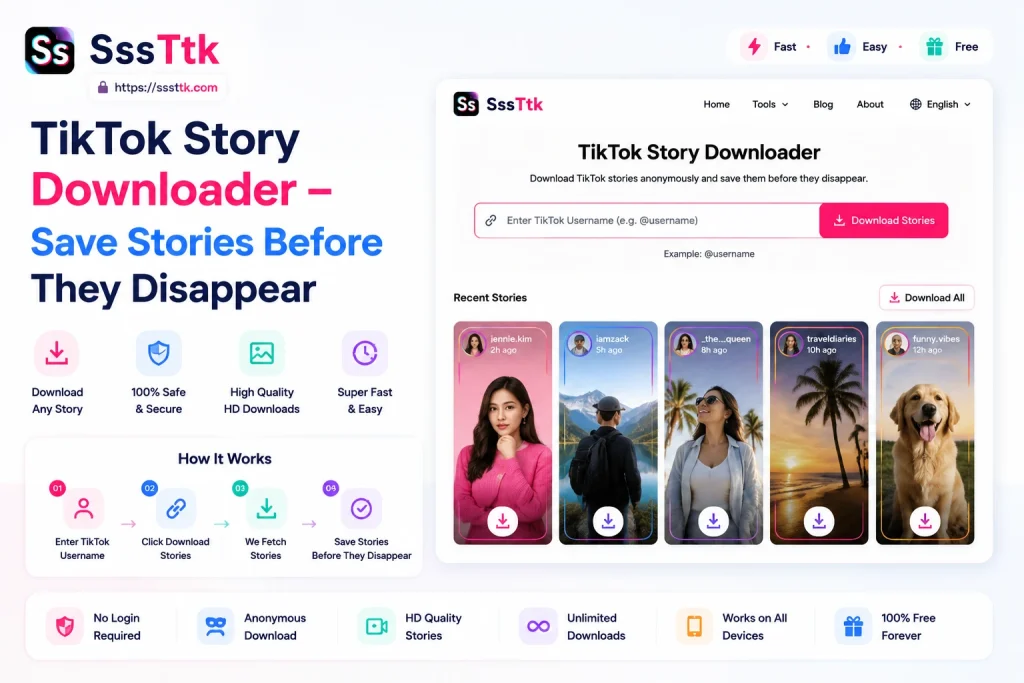
How to Download a TikTok Story
Using the SSSTTK TikTok Story Saver follows the same simple link-based workflow used by the site’s other TikTok tools.
1. Open the TikTok Story: Open TikTok and go to the public Story you want to save.
Because Stories are temporary, make sure the Story is still available before attempting to process its link.
2. Copy the Story Link: Tap the Share option and copy the public TikTok link.
Use the direct Story URL whenever possible rather than typing only the creator’s name. A direct link identifies the exact content you want the downloader to process.
3. Open SSSTTK: Open SSSTTK in your browser and select the Story option.
You can use the website from a modern browser on Android, iPhone, iPad, Windows, macOS, Chromebook, or another supported device. SSSTTK currently describes its tools as browser based, with no separate extension required for the normal download workflow.
4. Paste and Process the Link: Paste the copied TikTok Story URL into the input box and start the process.
If the Story is public, still available, and supported, SSSTTK can display the available media download option.
5. Save the Story: Choose the available file and save it to your device.
The exact save location depends on your browser and operating system. On many devices, downloaded files appear in the browser’s Downloads section or the system Downloads folder.
TikTok Story Downloader Without Watermark
Many people specifically search for a TikTok Story Downloader without watermark because they want a cleaner copy of media they own or have permission to save.
For supported public TikTok content, SSSTTK is designed to provide watermark-free downloading where an appropriate clean source can be processed.
A watermark-free download is not necessarily a higher-quality download. Watermark presence and image quality are separate issues.
The resulting quality depends primarily on:
- the quality of the original Story;
- TikTok’s processing of the uploaded media;
- the version of the file available for that public Story;
- whether the Story contains video or photo media.
A downloader cannot genuinely create missing detail that was not present in the available source. If the source is lower resolution, labeling it “Full HD” would not turn it into authentic higher-resolution content.
For that reason, SSSTTK should describe downloads as the best available source quality rather than promising HD for every Story.
TikTok Story Downloader With No Login
SSSTTK’s public-link workflow does not require users to submit a TikTok password, verification code, or private account credentials.
This matters for both convenience and privacy.
To save supported public content, a downloader should not need access to your personal TikTok account.
Be cautious with any third-party website that asks you to provide:
- your TikTok password;
- a login verification code;
- session cookies;
- private account credentials.
Those details are unnecessary for SSSTTK’s normal public-link downloading workflow.
Can You Download TikTok Stories Anonymously?
“Anonymous TikTok Story Downloader” can mean several different things.
With SSSTTK, you do not need to connect your personal TikTok account to the downloader for supported public links. That means the SSSTTK download process itself does not require your TikTok identity or login credentials.
However, it is better not to make an absolute promise that every step is invisible.
For example, if you first open somebody’s Story inside the TikTok application before copying its link, that interaction happens on TikTok, separately from SSSTTK.
For users primarily concerned about privacy, the accurate benefit is therefore:
No TikTok login is required by SSSTTK for the public-link download process.
That is clearer and more trustworthy than promising that every possible interaction is “100% anonymous.”
TikTok Story Downloader Using Username
Some TikTok Story tools let users enter a creator’s @username or profile URL and then search for currently available public Stories. Current competing Story tools use both username-based and direct-link workflows.
SSSTTK’s documented workflow currently focuses on the public TikTok Story URL.
Using the direct Story link has a practical advantage: it identifies the specific Story you want rather than requiring the downloader to search through a creator’s profile.
If username-based Story discovery is added to SSSTTK later, this page can be updated to explain both methods.
Can SSSTTK Download Private TikTok Stories?
No public TikTok Story downloader should claim that it can bypass a creator’s privacy settings.
SSSTTK is intended for publicly accessible TikTok content. Its existing product information specifically describes processing public content rather than accessing restricted accounts.
TikTok provides creators with audience and privacy controls that determine who can access their content.
Therefore, a private, restricted, removed, or otherwise unavailable Story may not be accessible through SSSTTK.
If you search for a TikTok Story Downloader private tool, be especially cautious with websites claiming that they can unlock private accounts. Do not provide someone else’s credentials or attempt to bypass access controls.
TikTok Story Video and Photo Downloads
TikTok Stories are not limited to video. TikTok officially describes Stories as supporting both photos and videos.
SSSTTK likewise describes its Story Downloader as supporting available:
- video Stories;
- photo Stories;
- temporary creator updates.
The downloaded format can therefore depend on the type of Story being processed.
Video Stories may be provided as a standard playable video file, while photo Stories may be saved as image media when supported.
Do You Need a TikTok Story Downloader App or Extension?
For the normal SSSTTK Story download workflow, no browser extension is required.
The service works directly from a web browser, which means you can use the TikTok Story Download Online option without installing extra desktop software.
This is useful when you only need an occasional Story download and do not want another extension installed in Chrome, Edge, Firefox, or Safari.
Mobile users can also access the web version without relying on a separate TikTok Story downloader app.
Why Can’t I Download a TikTok Story?
If a Story does not process correctly, check these common causes:
The Story has expired. TikTok Stories remain available for 24 hours, so older Stories may no longer be accessible through the normal Story interface.
The Story is private or restricted. Public-link downloaders cannot simply override the creator’s audience controls.
The link is incomplete. Copy the full public TikTok Story link again and retry
The creator removed the Story. A deleted or unavailable Story cannot be processed in the same way as an active public Story.
The media is temporarily unavailable. TikTok’s link formats and media delivery can change, so an otherwise valid Story may occasionally need to be retried.
Frequently Asked Questions
Is SSSTTK a free TikTok Story Downloader?
SSSTTK currently presents its TikTok downloading tools as browser-based services for public TikTok content. Check the live tool for the currently available download options.
Can I download a TikTok Story without watermark in HD?
SSSTTK can provide a clean download where a supported watermark-free source is available. Actual quality depends on the source media; no downloader can guarantee genuine HD if the available Story itself is lower quality.
Do I need to log in?
No TikTok password or private account login is required for SSSTTK’s documented public-link workflow.
Can I download a private TikTok Story?
No. SSSTTK is intended for publicly accessible TikTok content and should not be used to bypass another user’s privacy settings.
Can I use a username instead of a Story URL?
SSSTTK’s current documented method uses the public Story link. If the product later adds username lookup, this guide should be updated to reflect that feature.
Does downloading a Story remove copyright?
No. Removing a watermark or saving a copy does not transfer copyright ownership. TikTok states that content that infringes another person’s intellectual-property rights is not permitted on the platform.
Always obtain the necessary permission before reposting, selling, advertising with, or commercially redistributing someone else’s content.
Save Public TikTok Stories Before They Expire
A good TikTok Story Downloader should solve a simple problem without asking for unnecessary information.
SSSTTK provides a direct browser-based workflow for supported public TikTok Stories: copy the Story URL, select the Story tool, paste the link, and save the available media.
There is no need to provide your TikTok password, install a browser extension, or rely on misleading tools that claim to unlock private Stories.
For the best results, save an eligible Story while it is still publicly available, choose the best available source quality, and respect the creator’s privacy and intellectual-property rights.