SssTTK

TikTok Slideshow Downloader – High-Quality Downloads

Tiktok Video SlideShow

TikTok Slideshow Downloader – Download TikTok Photos Without Watermark

Use the SSSTTK TikTok slideshow downloader to save supported public TikTok photo posts and slideshow images directly to your phone or computer.
Copy the link to a TikTok slideshow, paste it into SSSTTK, and process the post to see the download options available for its photos. No TikTok username or password is required for supported publicly accessible posts.

Where a clean image source is available, SSSTTK can provide slideshow photos without the visible TikTok watermark or interface elements that you may get when taking screenshots.

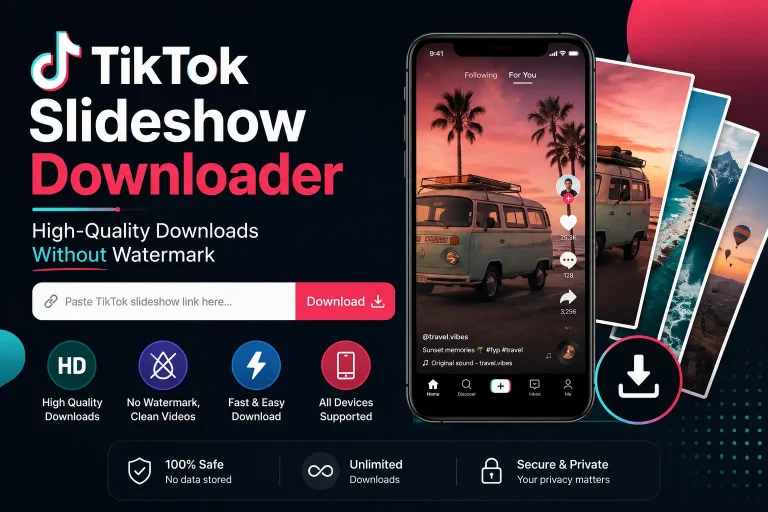
TikTok Slideshow Downloader – High-Quality Downloads Without watermark

How it works:

  1. Copy the TikTok slideshow link.
  2. Paste the URL into SSSTTK.
  3. Process the post.
  4. Download the available slideshow photos.

Note: SSSTTK is intended for supported public TikTok content. Private, deleted, restricted, or otherwise inaccessible posts may not be available for download.

What Is a TikTok Slideshow Downloader?

A TikTok slideshow downloader is a tool for saving photos from TikTok photo posts, slideshows, and image carousels.
Instead of taking a screenshot of every slide, a downloader processes the public post URL and retrieves the image options available for that post.
This can be useful when you want to:

  • Back up your own TikTok photo posts
  • Save permitted content for offline viewing
  • Download individual photos from a slideshow
  • Keep original-looking images without TikTok interface elements
  • Save content you have permission to reuse
  • Access slideshow photos from Android, iPhone, or desktop

TikTok itself provides saving options for some photos and videos, but whether TikTok’s native save option appears can depend on the post and the creator’s download settings.

How to Download a TikTok Slideshow

You only need the public URL of the TikTok photo post.

1. Find the TikTok Slideshow: Open TikTok and go to the photo post or slideshow you want to save.
Make sure the post is publicly accessible.

2. Copy the TikTok Link: Tap Share on the TikTok post and choose Copy link.
If you are using TikTok in a desktop browser, you can also copy the post URL from your browser.

3. Paste the Link Into SSSTTK: Open the SSSTTK TikTok slideshow downloader.
Paste the copied URL into the download field.
You should not need to enter your TikTok account credentials simply to process a supported public URL.

4. Process the Slideshow: Tap the download button and allow SSSTTK to process the link.
When the post is supported and accessible, the available slideshow images will be displayed.

5. Download the Photos: Choose the photos you want to save and use the available download options.
Your browser or device will normally save downloaded files to its configured Downloads folder or another location you have selected.

Download TikTok Slideshow Without Watermark

One of the main reasons people use a TikTok slideshow downloader without watermark is to avoid taking screenshots containing TikTok interface elements.
A screenshot may include:

  • TikTok buttons
  • Username overlays
  • Captions or interface text
  • Phone status bars
  • Cropped portions of the original image
  • Reduced usable resolution

For supported public photo posts, SSSTTK is designed to provide the clean image source available for the slideshow rather than simply capturing the screen.
However, watermark availability depends on the source provided for a particular TikTok post. SSSTTK should not claim to remove something from an image when TikTok does not provide an appropriate clean source.
A watermark-free file also does not remove the creator’s copyright or give someone else ownership of the image. TikTok advises users to post original content and to obtain permission where necessary when using content belonging to another person.

Download Individual Photos From a TikTok Slideshow

TikTok photo posts can contain multiple images.
Instead of saving the slideshow as one screen recording or repeatedly taking screenshots, SSSTTK can display the downloadable images available from a supported post.
This lets you save the photos you actually need.
For example, if a slideshow contains several images, you may prefer to download selected slides rather than keeping unnecessary screenshots of the entire post.
The number of images available depends on the original TikTok post.

TikTok Photo Downloader vs. Slideshow Downloader

The terms TikTok photo downloader and TikTok slideshow downloader are often used for very similar tools.
A TikTok photo downloader generally refers to downloading images from TikTok photo posts.
A slideshow downloader usually emphasizes posts containing several images that users can swipe through.
SSSTTK can be used with supported public TikTok photo or slideshow links, so you do not need a different process for each type.
Simply copy the public post link and let the downloader identify the available media.

Can I Download All Photos From a TikTok Slideshow?

If the public TikTok post contains multiple images and those images are available for processing, SSSTTK can show the downloadable slides available from the post.
However, availability can vary.
A downloader may be unable to retrieve the complete slideshow when: A public-link downloader should not attempt to bypass TikTok privacy controls.

What Quality Are TikTok Slideshow Photos?

Image quality depends primarily on the source available for the TikTok post.
If a high-quality source image is available, a downloader can provide that version. If TikTok supplies a smaller or compressed image, a downloader cannot genuinely recreate missing detail.
For this reason, SSSTTK should prioritize the best available source rather than making unrealistic claims such as turning every slideshow photo into “4K.”
Image dimensions alone also do not guarantee better visual quality. Artificially enlarging an image does not restore detail that was missing from the source.

Do I Need a TikTok Account?

You should not need to sign in to TikTok through SSSTTK to process a supported publicly accessible TikTok link.
SSSTTK only needs the public post URL for normal slideshow processing.
Be cautious with any third-party downloader that asks you to provide a TikTok username and password simply to download publicly available content.
Your TikTok login credentials should remain with TikTok rather than being entered into unrelated downloader services.

Can I Download a Private TikTok Slideshow?

No. SSSTTK is intended for publicly accessible TikTok content.
A private post is different from a normal public slideshow.
If the creator has restricted access to a post, a public TikTok downloader should not be presented as a way to bypass that restriction.
Similarly, deleted, age-restricted, region-restricted, or otherwise inaccessible content may not be available.

Why Is My TikTok Slideshow Downloader Not Working?

If SSSTTK cannot process a TikTok slideshow, it does not necessarily mean the downloader is broken. First, check that you copied the correct TikTok URL and that the link opens the intended post in your browser.
Make sure the slideshow is still publicly accessible, as private, deleted, restricted, or unavailable posts may not be processed by a public-link downloader. You can also try copying the link again using TikTok’s Share → Copy link option, since incomplete, malformed, or incorrectly copied URLs can cause problems.
Check your internet connection as well, because an interrupted connection may prevent the TikTok post or downloaded images from loading correctly. If everything appears normal but the slideshow still does not work, try again later, as temporary TikTok changes or service issues can sometimes affect processing.

TikTok Slideshow Downloader vs. Taking Screenshots

Both methods can save something you see on the screen, but they produce different results.

MethodTikTok Slideshow DownloaderScreenshot
Save individual slidesAvailable for supported postsOne at a time
TikTok interface visibleUsually avoided when a clean source is availableOften visible
Cropping requiredUsually noOften
Source qualityBased on available image sourceLimited by screen capture
Multiple imagesEasier to manageRequires repeated screenshots
TikTok login through downloaderNot required for supported public URLsTikTok access may depend on how you view the post

Screenshots can be useful when no direct image is available, but they are generally less convenient when a public slideshow contains many photos.

Is the TikTok Slideshow Downloader Free?

Use the download options shown by SSSTTK for the supported public post you are processing.
Users should not have to purchase a so-called “premium unlocked” or modified APK simply to access an unofficial copy of the SSSTTK service.
If you use the Android application, download it only from an official SSSTTK distribution source rather than from random APK mirrors.

Does Downloading a Slideshow Give Me Permission to Repost It?

No. Being able to technically download an image does not automatically give you permission to republish it.
The original creator may still own copyright or other rights associated with the content.
Downloading is most straightforward when you are:

  • Saving your own TikTok slideshow
  • Creating a backup of your own content
  • Saving content for permitted personal use
  • Working with images the creator has authorized you to use
  • Using material for which you already have the necessary rights

If you intend to repost, edit, advertise with, or commercially distribute another creator’s content, obtain the necessary permission or rights first. TikTok’s copyright guidance likewise recommends obtaining permission when using content belonging to someone else.

Frequently Asked Questions

What is the best way to download a TikTok slideshow?

Copy the link to the public TikTok photo post, paste it into SSSTTK, process the URL, and save the available images. This avoids taking a separate screenshot of every slide.

Can I download a TikTok slideshow without watermark?

For supported public TikTok photo posts, SSSTTK can provide clean slideshow images when an appropriate source is available. The exact result depends on the original post and source made available for processing.

Can I download TikTok photos in HD?

SSSTTK can provide the best suitable image source available for a supported post. Actual quality depends on the source; a downloader cannot create genuine detail that is missing from the original file.

Can I download all images from one TikTok slideshow?

When all images from a supported public slideshow are available for processing, SSSTTK can display the available slides for download. Availability depends on the post.

Do I need to log in?

No TikTok username or password should be required to process a supported public TikTok post URL through SSSTTK.

Can I download private TikTok photos?

SSSTTK is intended for publicly accessible TikTok posts and should not be used to bypass privacy restrictions.

Does the TikTok slideshow downloader work on Android?

Yes. The web-based workflow can be used from an Android browser, and SSSTTK also offers its dedicated Android workflow where available.

Does it work on iPhone?

The browser-based downloader can be used on iPhone and iPad. Android APK files cannot be installed on iOS.

Can I use it on a computer?

Yes. A browser-based TikTok slideshow downloader can be used from desktop operating systems such as Windows, macOS, Linux, or ChromeOS.

Why can’t I download a particular slideshow?

The post may be private, deleted, restricted, unavailable, unsupported, or temporarily inaccessible. An incorrect TikTok URL can also prevent processing.

Is downloading TikTok photos the same as owning them?

No. Downloading a copy does not transfer copyright or ownership from the original creator.

Download TikTok Slideshows More Easily

SSSTTK provides a straightforward way to process supported public TikTok slideshow and photo-post links without manually taking screenshots of every image.
Copy the TikTok URL, paste it into the downloader, process the post, and save the photos available from the source.

For the best results, use the original public post link, choose the best available image source, and avoid websites or modified applications that ask for unnecessary TikTok account information.
Most importantly, use downloaded content responsibly. Saving a clean copy of a TikTok slideshow does not change who created or owns the original content.