
SssTTK
TikTok Video Downloader Without Watermark – Save Videos in HD Quality
A TikTok Video Downloader is a simple online tool that helps you save TikTok videos directly to your phone, tablet, or computer. Instead of installing an application or following complicated steps, you can copy the link to a TikTok video, paste it into the downloader, and save the available video in HD quality for convenient offline viewing.
Saving videos directly from TikTok may include the TikTok logo and creator username on the screen. This can be distracting when you want a clean copy of your own content, preserve a favorite moment, or prepare an authorized video for a presentation or marketing portfolio. SSSTTK Downloader provides a fast and user-friendly way to download eligible TikTok videos without a watermark. No registration is required. Simply paste the video URL, select the available download option, and save the video to your device.
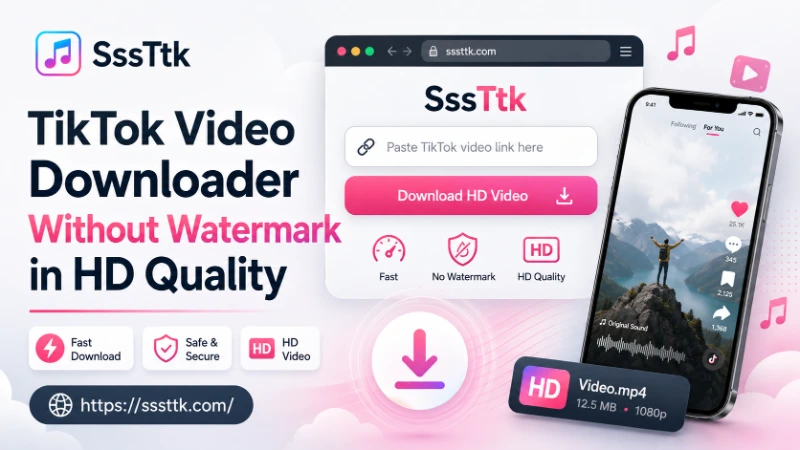
SSSTTK Downloader is a fast, free, and easy-to-use online TikTok video downloader that lets you save eligible TikTok videos in HD quality without a watermark or account login. This complete guide explains how to use the tool, explores its key features, and shows why it is a convenient choice for downloading TikTok videos in 2026.
What is TikTok Downloader? – SSSTTK Downloader
A TikTok downloader is a web-based tool, mobile application, or browser extension that helps users save eligible TikTok videos to their devices for offline viewing.
Key Features – Explore the Complete SSSTTK Downloader Suite
SSSTTK Downloader offers multiple features for downloading eligible TikTok content. It supports watermark-free videos, Stories, photo slideshows, image carousels, MP3 Sound Track extraction, and bulk downloads. Users can access these features through a web browser without registration, software installation, or TikTok login.
How to Download TikTok Videos Without Watermark
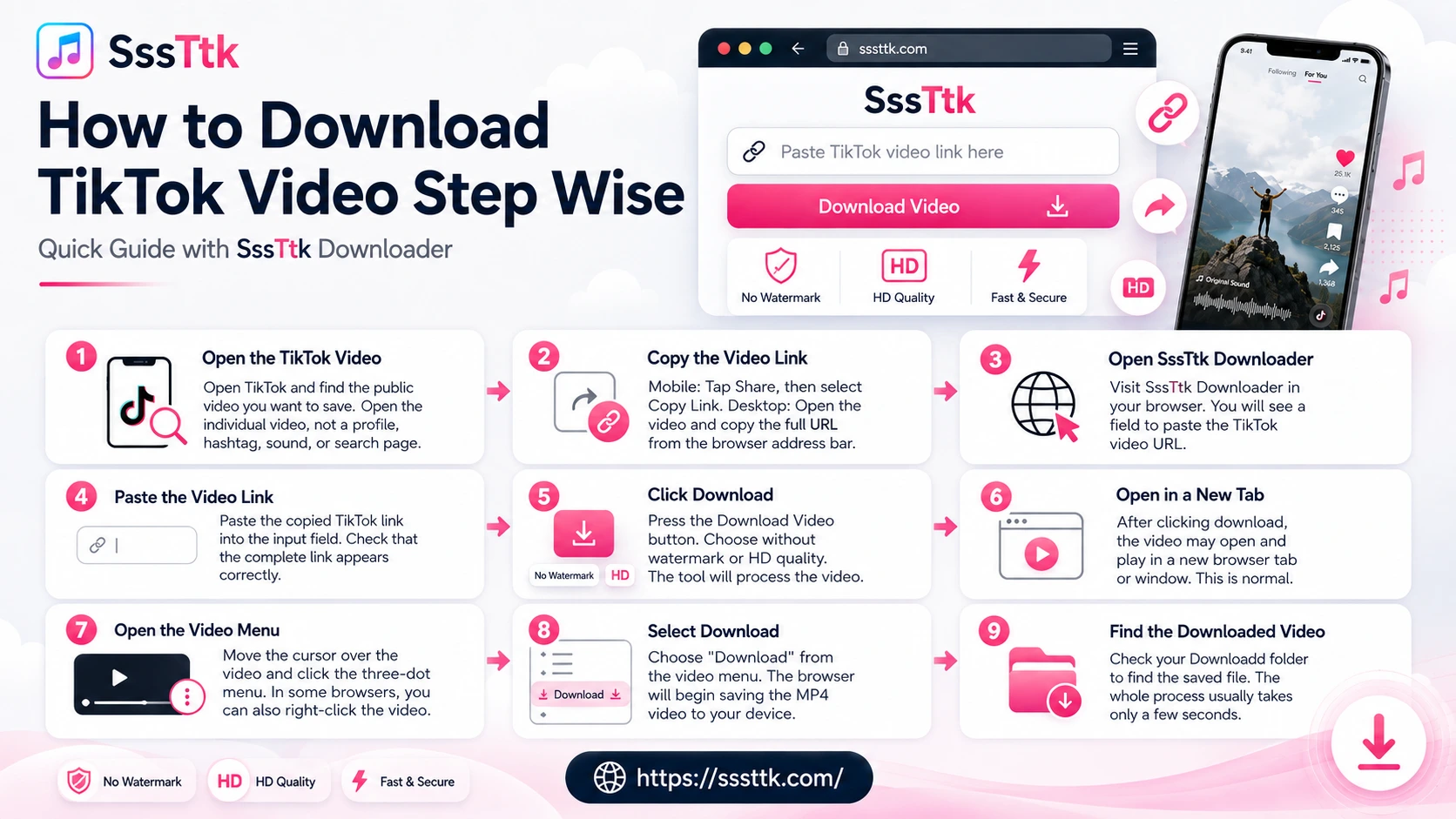
SSSTTK Downloader works on desktops, laptops, tablets, and mobile phones. Follow these simple steps to download an eligible public TikTok video:
If the video opens in a new tab, use the three-dot menu and select Download or Save Video.
Why Choose SSSTTK Over Other TikTok Video Downloaders
There are many TikTok Video downloader tools available online, but some of them are filled with ads or may show fetching errors when you try to download a video. This can make the whole process frustrating and time-consuming.
SssTTK is designed to make the process simple and smooth. You can use the TikTok video downloader without unnecessary ads getting in the way, and you can also access several other useful TikTok tools in one place.
Instead of using different websites for different TikTok tasks, you can find these tools together on SssTTK, making it easier to download and save the content you need.
No Watermark
Save clean videos without the moving TikTok logo or username overlay.
HD Quality Downloads
Retain maximum source resolution (720p, 1080p, and 60 FPS) with zero unnecessary compression.
100% Free & Unlimited
Download as many public clips as you need without daily caps or subscription fees.
No Software Required
Works entirely in modern web browsers (Chrome, Safari, Edge, Firefox, Brave).
Privacy Protected
We never ask for your TikTok password, login credentials, or personal information.
Fast and Secure
SssTTK processes TikTok video links quickly through your browser. You are not required to provide your TikTok password, verification code, or private account information.
Download TikTok Videos With or Without Watermark
Want a clean TikTok video without the moving logo or username? SSSTTK lets you download eligible TikTok videos with or without a watermark, depending on the options available. Simply choose your preferred format and save the video in the best available quality.
Watermarked vs. Watermark-Free TikTok Videos
Videos saved through the TikTok app usually include a moving TikTok logo and the creator’s username. A TikTok downloader may provide access to a cleaner version when a watermark-free video stream is publicly available.
| Feature | TikTok App Save | SSSTTK Online Downloader |
|---|---|---|
| Watermark or Logo | Moving TikTok logo and username | Watermark-free option when available |
| Video Quality | May be processed or compressed | Best available video quality |
| File Format | Watermarked MP4 | MP4 or optional MP3 |
| Editing Convenience | Requires watermark removal or cropping | Clean |
TikTok may process and deliver videos in different formats and quality levels. SSSTTK accesses the publicly available media options and displays the downloadable formats currently available for each video.
Important: Download only content you own or have permission to use. Respect creators’ rights and TikTok’s terms when saving, editing, or sharing videos.
Why People Download TikTok Videos
People download TikTok videos for many different reasons. Some want to watch videos offline while traveling, while others save tutorials, recipes, educational clips, workout routines, or creative inspiration.
Download TikTok Videos in HD, 1080p or 4K
SSSTTK lets you download supported TikTok videos in the best available quality, including HD, 1080p, or 4K when provided by the original video. It does not artificially upscale videos or make unrealistic quality promises.
High-Quality MP4 Downloads
Simply paste a TikTok video link and download the best available MP4 version to your phone, tablet, or computer. The final quality depends on the original upload and the video options available from TikTok.
Updated TikTok Video Downloader for 2026
TikTok links and video formats change regularly, causing outdated downloaders to stop working. SssTTK is continuously updated to support current TikTok links, newly uploaded videos, and trending content.
With SssTTK, you can:
Looking for a TikTok video downloader that works in 2026? Paste a public video link into SssTTK and download it quickly without installing software or creating an account.
Fix Common TikTok Download Errors
A TikTok download error is usually easy to fix. First, make sure the video is public and the full TikTok URL has been copied correctly. If the download still does not start, refresh SssTTK, clear your browser cache, or try a different browser.
Videos that are private, deleted, age-restricted, friends-only, or unavailable in your region cannot normally be processed.
Is SssTTK Safe to Use?
Cover:
Is Downloading TikTok Videos Legal?
Downloading a TikTok video does not automatically give you ownership rights. Copyright belongs to the original creator or rights holder. Users should download videos for personal use and obtain permission before reposting, modifying, or using content commercially.
Frequently Asked Questions – TikTok Video Downloader
How do I download a TikTok video without a watermark?
Copy the video link in the TikTok app (Share → Copy Link), paste it into SSSTTK, choose an available HD or standard MP4 option, and save the video to your device. If the video opens in a new tab, use the three-dot menu and select Download.
Is SSSTTK free to use?
Yes. SSSTTK is 100% free with no daily download caps or subscription fees, and no registration is required.
Do I need to install an app or create an account?
No. SSSTTK works entirely in modern web browsers such as Chrome, Safari, Edge, Firefox, and Brave — no software installation and no TikTok login needed.
Is SSSTTK safe to use?
SSSTTK never asks for your TikTok password, login credentials, or personal information. It processes public video links through your browser.
Is it legal to download TikTok videos?
Downloading does not transfer ownership — copyright belongs to the original creator. Download for personal use and get permission before reposting or using content commercially.
Why is my TikTok download failing?
Make sure the video is public and the full TikTok URL was copied correctly. If it still fails, refresh SSSTTK, clear your browser cache, or try a different browser. Private, deleted, age-restricted, or region-blocked videos cannot be processed.
Final Thoughts — Save Videos Without Watermark in HD
Finding a reliable TikTok Video Downloader shouldn’t be difficult. A good downloader should be fast, secure, and easy to use without requiring software installation or complicated setup.
SssTTK offers a simple way to download public TikTok videos in high quality directly from your browser. Just copy the TikTok video link, paste it into the downloader, and save your video in a few clicks.