SssTTK

TikTok Bulk Video Downloader — Save All Videos in One Click

TikTok Bulk Video Downloader — Save All Videos in One Click

What Makes SSSTTK Bulk Downloader Different?

The term TikTok bulk downloader can mean different things depending on the tool you use. On many websites, “bulk downloading” means collecting multiple individual TikTok video links and pasting them into the downloader one after another, often separated by spaces or line breaks.
While this method can process several videos together, it still creates an unnecessary extra step: you have to open every TikTok post separately and copy its link first.
For example, if you want to download 20 videos from the same TikTok profile, a traditional bulk downloader may require you to open each video individually, copy its URL, and paste all 20 links into the tool.
This can become time-consuming when a TikTok profile contains dozens of videos.

SSSTTK takes a different approach.

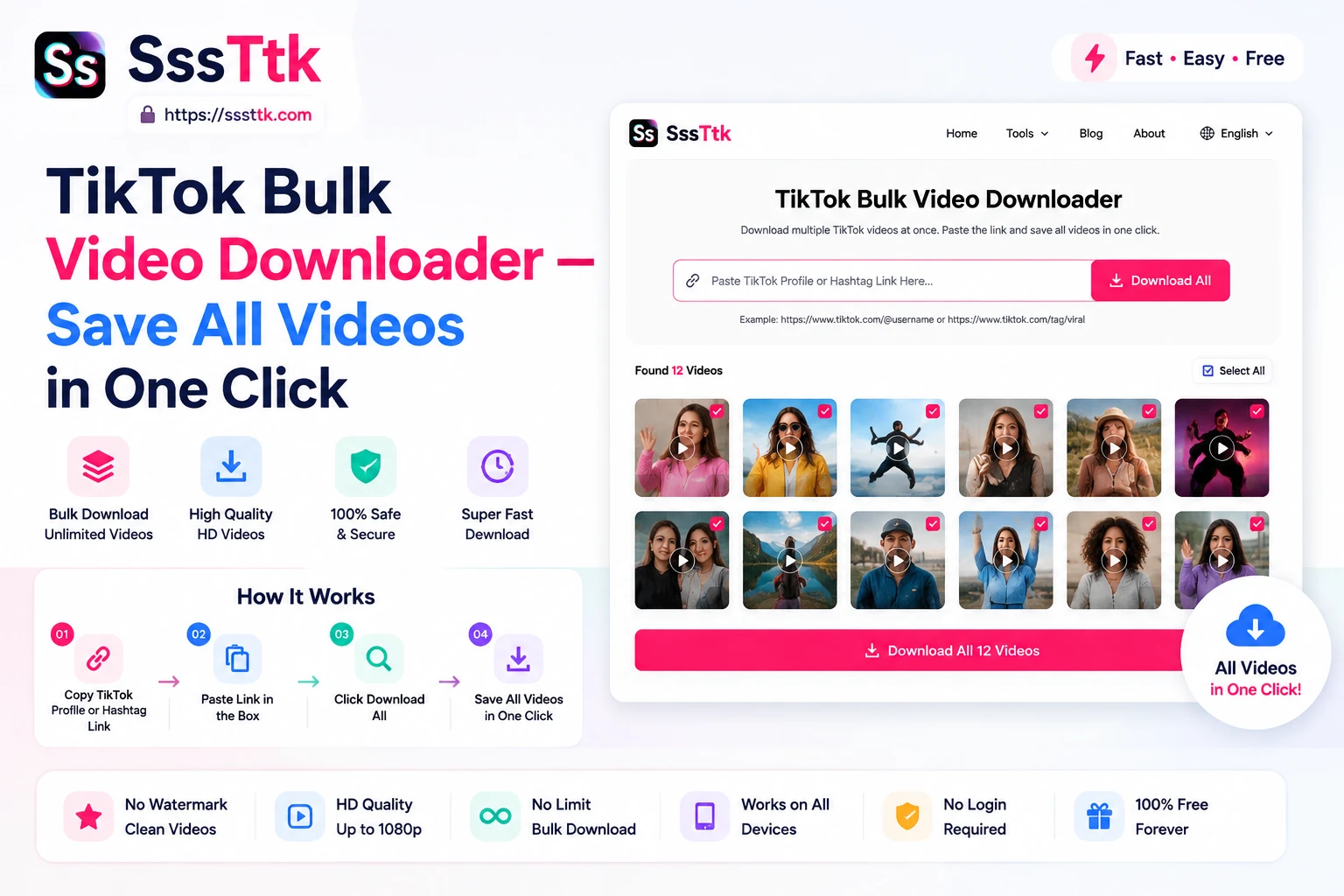
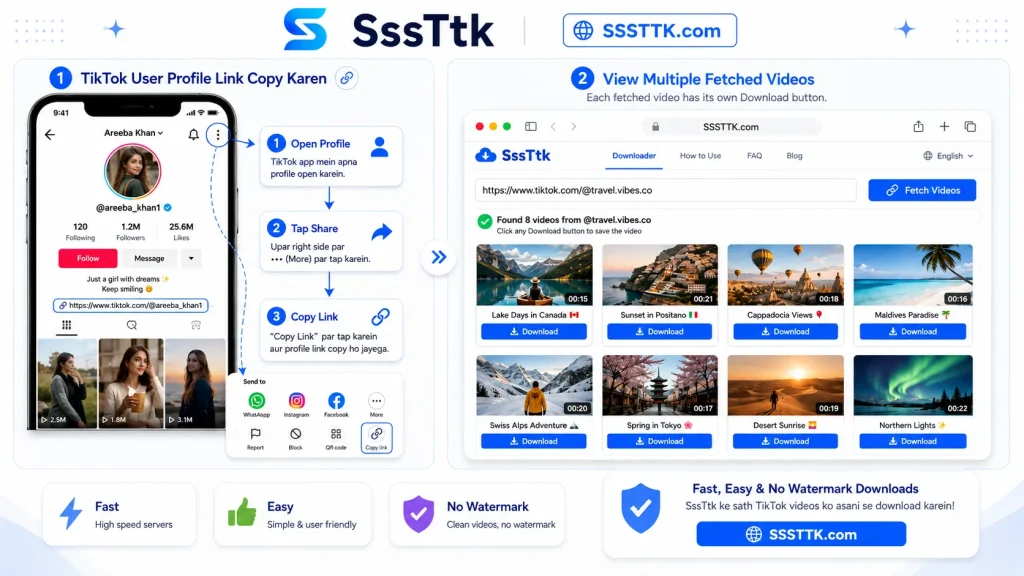
With the SSSTTK TikTok Bulk Downloader, you only need to copy the public TikTok profile link once. Paste that profile URL into the tool, and SSSTTK fetches the publicly available videos from that profile and displays them together in one place.
Each fetched video is shown with its own Download button, so you can review the available videos and download only the ones you want.
The difference is simple:

Traditional bulk downloader:
Multiple video links → Paste all links → Process videos

SSSTTK bulk downloader:
One TikTok profile link → Fetch available profile videos → Choose and download

This means you do not have to visit every video post just to collect individual URLs. For users who want to browse or download several videos from the same public TikTok profile, the SSSTTK approach removes repetitive work and makes the entire process much more convenient.

TikTok Bulk Downloader vs. Single Video Downloader

Although both tools help you download TikTok content, they are designed for different use cases.

FeatureSingle Video DownloaderTikTok Bulk Downloader
Main purposeDownload a single TikTok videoBrowse and download multiple videos
Typical inputOne TikTok video URLA public TikTok profile URL
Best forOne or two occasional downloadsDownloading several videos from the same profile
Time requiredQuick for individual videosMore efficient when downloading multiple videos
Common usersIndividual viewersCreators, content teams, researchers, and social media managers
OrganizationMinimal organization requiredEasier to review and manage multiple fetched videos

If you only want to download one or two TikTok videos, a standard single-video downloader is usually the simpler option. However, when you want several videos from the same public TikTok profile, a bulk downloader can save time by reducing the need to copy individual video links one by one.

How to Use a TikTok Bulk Downloader

Using a TikTok bulk downloader is similar to using a regular TikTok video downloader. The main difference is that, after you paste a public TikTok profile link, the tool fetches multiple available videos from that profile and displays them together.

Each video appears with its own Download button, so you can simply choose and download the videos you want.

How to Use a TikTok Bulk Downloader

Bulk Downloading and Video Quality

Downloading more videos at once should not change what quality actually exists in the source material.
If a TikTok post is available in a higher-quality source version, a downloader may be able to provide that version. If the source itself is low resolution or heavily compressed, a downloader cannot genuinely reconstruct image detail that was never present.
Before saving many fetched videos, download one or two samples first and check their resolution, audio, format, playback, and watermark option.
I prefer the checklist because it improves scanning:

  • Video resolution
  • Audio synchronization
  • File format
  • Playback compatibility
  • File size
  • Whether the video is complete
  • Available watermark options

Testing a small batch first can prevent discovering a quality problem after downloading a much larger collection.

Bulk TikTok Downloader Without Watermark

Many users looking for bulk downloads also want clean video files without the moving TikTok logo or username overlay.
SSSTTK offers watermark-free downloading for supported public TikTok videos where an appropriate clean source can be processed.
A watermark-free file can be useful when backing up your own videos or editing media you have permission to use.

However, removing a watermark does not remove copyright or ownership.
TikTok states that copyrighted content posted without proper authorization may violate its intellectual-property policies.
If the videos belong to another creator, obtain the necessary permission before reposting, modifying, selling, advertising with, or commercially distributing them.

Frequently Asked Questions

Can I download an entire TikTok account in one click? Most third-party tools process each video individually behind the scenes, even when the interface presents it as one action. For your own account, TikTok’s official data export tool is a more complete alternative.

Is there a limit to how many TikTok videos I can bulk download? Practically, yes — rate limiting and tool-specific caps mean large batches are more reliable when split into smaller groups of 10–20 links rather than attempted all at once.

Do I need to log in to bulk download TikTok videos? No. Bulk downloading public videos through a link-paste tool doesn’t require a TikTok login — you only need the video links themselves.

Is bulk downloading TikTok videos against the rules? Whether a download or subsequent use is permitted can depend on copyright, applicable law, TikTok’s terms, and the creator’s permissions

Why did some videos fail during a bulk download? Private, deleted, restricted, or otherwise unavailable videos generally cannot be fetched through a public-link downloader because the content is not publicly accessible.

What’s the difference between bulk downloading and downloading one at a time? Bulk downloading lets you queue multiple links instead of repeating the process manually, but the underlying mechanism — each video processed individually — is the same either way.

Can You Bulk Download Videos From a TikTok Account? Yes. With SSSTTK Bulk Downloader? You can paste a public TikTok profile link instead of copying each video URL separately. The tool fetches the available videos from that profile and displays them together, with an individual Download button for each video you want to save.

Is bulk downloading TikTok videos copyright-free?

No. Downloading a file does not transfer copyright ownership. TikTok’s copyright guidance explains that use of copyrighted content without proper authorization can infringe another person’s rights.

A More Efficient Way to Download Multiple TikTok Videos

A TikTok bulk downloader is most valuable when downloading videos one by one becomes unnecessarily repetitive. Instead of treating every clip as a separate task, a bulk workflow helps you organize and process larger collections more efficiently.
The right approach depends on your goal. Occasional users may only need a normal single-video downloader, while creators, content teams, and users managing larger approved collections can benefit from bulk processing.
Use the SSSTTK TikTok Bulk Downloader to access the Bulk option and manage supported public TikTok downloads through your browser.
For the best results, start with a small batch, verify the downloaded files, keep your collection organized, and always respect the rights and privacy of the original creators.