TikTok Thumbnail Downloader – Save TikTok Cover Images
A TikTok Thumbnail Downloader lets you save the cover image used to preview a TikTok video without taking a screenshot of the entire screen. Copy the link to a supported public TikTok video, paste it into SSSTTK, and download the available thumbnail or cover image to your phone or computer.
TikTok officially describes a video cover as the thumbnail used to preview a video in places such as a creator’s profile and TikTok search results. Creators can select a frame from their video as the cover before publishing.
If you need the complete video rather than its cover image, use the SSSTTK TikTok Video Downloader instead.
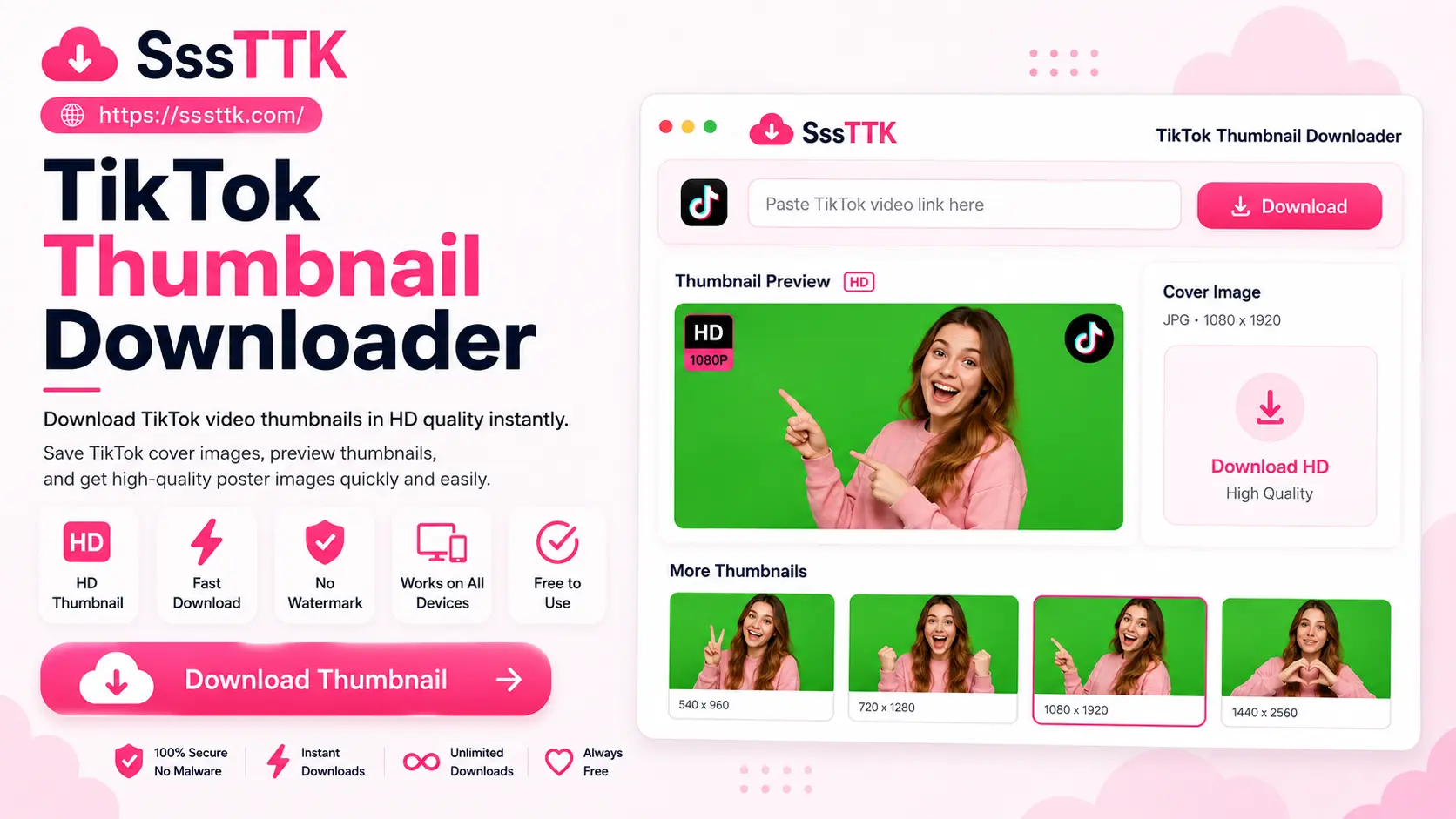
How to Download a TikTok Thumbnail
Downloading a TikTok cover should only require the public link to the video.
1. Find the TikTok Video
Open TikTok and locate the public video whose thumbnail you want to save.
You can do this through the TikTok mobile app or TikTok in a desktop browser.
2. Copy the TikTok Link
Tap Share → Copy link in the TikTok app.
On desktop, you can also open the individual video and copy its URL from your browser’s address bar.
Use the link to the actual post rather than only copying the creator’s profile URL.
3. Open the SSSTTK Thumbnail Downloader
Open the SSSTTK TikTok Thumbnail Downloader in your browser.
Paste the copied TikTok video URL into the input field and start processing the link.
4. Preview the Available Cover
For a supported publicly accessible post, the tool can retrieve the thumbnail information associated with the TikTok video.
TikTok’s official oEmbed interface includes a thumbnail_url as part of the metadata returned for supported video URLs, along with thumbnail dimensions.
5. Save the Thumbnail
Choose the available image and save it to your device.
Your browser will normally place the file in its configured Downloads folder unless you choose another location.
What Is a TikTok Thumbnail?
A TikTok thumbnail—also called a TikTok video cover—is the preview image representing a video before someone opens or plays it.
TikTok confirms that creators can choose a video cover before publishing by selecting a frame from the video. That cover can then appear in places such as the creator’s profile and search results.
A thumbnail therefore serves a different purpose from the full TikTok video.
It can help viewers quickly understand what a post is about, while creators can use cover selection to highlight an important subject, headline, person, product, or visual moment.
TikTok Thumbnail vs. Video vs. Screenshot
These three files are not the same.
| Method | What You Get | Best For |
|---|---|---|
| TikTok Thumbnail Downloader | Video cover or preview image | Saving the cover |
| TikTok Video Downloader | Full playable video | Offline video viewing |
| Screenshot | Whatever appears on your screen | Quick manual capture |
A screenshot may contain TikTok interface elements, buttons, captions, status bars, or unnecessary cropping.
A thumbnail downloader is designed to retrieve the actual cover image associated with the post instead of making you manually capture the screen.
This makes it particularly useful when you only need the preview image and do not want to download the entire video.
Is a TikTok Thumbnail the First Frame of the Video?
Not always.
TikTok allows creators to select a frame from elsewhere in the video as the cover before publishing. The chosen thumbnail therefore does not necessarily have to be the first frame.
This distinction matters because some thumbnail tools advertise several different image types:
- Selected TikTok cover
- First video frame
- Static thumbnail
- Animated preview
These should not automatically be treated as identical files.
For most users searching for a TikTok Thumbnail Downloader, the most relevant result is the actual cover or preview image associated with the published TikTok post.
What Quality Can TikTok Thumbnails Have?
Thumbnail quality depends on the image TikTok makes available for the individual post.
TikTok’s own developer example shows its oEmbed response returning thumbnail dimensions and a dedicated thumbnail URL for a video. In that documented example, the returned thumbnail dimensions are 720 × 1280 pixels.
That does not mean every TikTok thumbnail should be advertised as having exactly the same resolution.
The safest approach is to download the best available source image rather than artificially enlarging a smaller thumbnail and calling it HD.
Upscaling can increase pixel dimensions, but it cannot genuinely recreate image detail that was not present in the source.
Why Download a TikTok Cover Instead of Taking a Screenshot?
Taking a screenshot works when you only need a quick visual reference, but it can create several problems.
Your screenshot may include:
- TikTok navigation buttons
- Like and comment icons
- Creator information
- Phone status-bar elements
- Cropped parts of the cover
- Additional screen content
- Lower useful image area
Using a thumbnail downloader avoids much of this manual cleanup by obtaining the available cover image associated with the TikTok post.
For creators, designers, and social-media teams, this can also make it easier to organize a collection of their own thumbnails for reference.
Useful Reasons to Download TikTok Thumbnails
There are several legitimate reasons to save TikTok covers.
Archive Your Own Content
If you publish TikTok videos regularly, you may want to maintain a local archive containing the video and its corresponding cover.
This can be useful when rebuilding a content library or reviewing your previous creative choices.
Study Your Own Cover Designs
Creators can compare their own thumbnails to see which visual approaches they have used across different posts.
You might review:
- Subject placement
- Text size
- Facial expressions
- Background choices
- Color contrast
- Framing
- Visual consistency
Content Planning
A folder containing your own previous TikTok covers can make it easier to plan future posts and avoid repeatedly using the same design.
Presentations and Reports
Authorized thumbnail images can also be useful in content-performance reports, internal presentations, campaign reviews, or social-media planning documents.
Always ensure that you have the appropriate rights before publicly reusing another creator’s image.
TikTok Cover Image vs. Custom Thumbnail
TikTok’s terminology can cause some confusion.
On platforms such as YouTube, creators often upload a completely separate thumbnail image.
TikTok’s standard video-cover workflow instead allows the creator to move through the video and select a frame to represent the post. TikTok’s current help documentation describes this process as choosing a frame from the video before publishing.
For downloading purposes, the terms TikTok thumbnail, video cover, and cover image are therefore often used by users to describe the preview associated with the post.
Does a TikTok Thumbnail Have a Watermark?
A TikTok cover image is different from the normal downloadable TikTok video containing the platform’s moving watermark.
A thumbnail downloader should retrieve the cover image available for the post rather than simply taking a screenshot of the TikTok player.
However, anything already embedded into the selected video frame—such as creator-added text, graphics, subtitles, logos, or other visual content—can remain part of the thumbnail.
A downloader cannot automatically separate those elements from the source image.
Can I Download TikTok Thumbnails Without Login?
The normal SSSTTK workflow is designed around supported publicly accessible TikTok links rather than private account access.
You should not need to provide a TikTok password simply to process the public URL of a supported video.
Be cautious with unrelated tools that ask you to submit:
- Your TikTok password
- Verification codes
- Session cookies
- Private account credentials
Those details are unnecessary for a normal public-link thumbnail workflow.
Does the Thumbnail Downloader Work on Mobile and PC?
Because the SSSTTK workflow runs through a web browser, the same basic process can be used across modern devices.
For example:
Android: Copy the TikTok link, open SSSTTK in your mobile browser, and save the available thumbnail.
iPhone or iPad: Use Safari or another supported browser to process the public TikTok URL.
Windows: Copy the video URL from TikTok and download the cover through your desktop browser.
Mac: Use Safari, Chrome, Firefox, Edge, or another modern browser.
You do not need to install separate thumbnail software simply because you switch from mobile to desktop.
Can I Download a Thumbnail From a Private TikTok?
A public-link thumbnail downloader should not be used to bypass TikTok privacy controls.
If a post is private, deleted, restricted, or otherwise unavailable publicly, its thumbnail may not be accessible through the normal public URL workflow.
TikTok’s developer tools similarly work with video URLs and metadata associated with accessible TikTok content.
Do not provide private login credentials to a third-party tool in an attempt to unlock restricted content.
Why Is My TikTok Thumbnail Not Downloading?
If a TikTok thumbnail cannot be retrieved, check that you copied the complete video URL and that the post is still publicly accessible. Private, deleted, restricted, malformed, or unavailable links may not return usable cover information. Try copying the TikTok link again, refreshing the downloader, checking your internet connection, or retrying later.
TikTok Thumbnail Downloader FAQs
How do I download a TikTok thumbnail?
Copy the link of a public TikTok video, paste it into the SSSTTK Thumbnail Downloader, preview the available cover image, and save it to your device’s Downloads folder.
Is a TikTok thumbnail the first frame of the video?
Not always. Creators can select any frame from the video as the cover before publishing, so the thumbnail is not necessarily the first frame.
What quality are TikTok thumbnails?
Quality depends on the image TikTok makes available for that post — for example, TikTok’s documented oEmbed example returns a 720 × 1280 cover. SSSTTK downloads the best available source image rather than artificially upscaling it.
Do TikTok thumbnails have a watermark?
The cover image itself doesn’t carry the moving watermark of a downloaded TikTok video, but any text, graphics, subtitles, or logos the creator embedded into that frame will remain part of the thumbnail.
Do I need to log in to download a TikTok thumbnail?
No. SSSTTK works with public video links — you should never need to provide your TikTok password, verification codes, or session cookies to a thumbnail tool.
Can I download a thumbnail from a private TikTok video?
No. A public-link thumbnail downloader should not bypass privacy controls — private, deleted, or restricted posts may not return usable cover information.
Download TikTok Cover Images More Easily
A good TikTok Thumbnail Downloader should solve a simple problem: obtaining the available cover image from a supported public TikTok post without forcing you to take, crop, and clean up a screenshot.
With SSSTTK, the workflow is straightforward: copy the TikTok video URL, paste it into the thumbnail tool, process the link, and save the available cover image.
If you need the complete TikTok video instead of only its thumbnail, use the SSSTTK TikTok Video Downloader.
Use downloaded thumbnails responsibly, and respect the privacy, copyright, and intellectual property rights of the original creator.