TikTok Green Screen Video Download – Save Green Screen TikToks
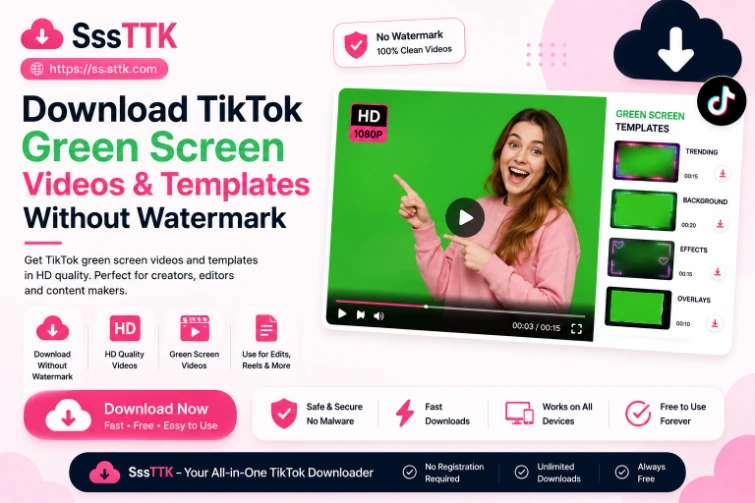
A TikTok Green Screen video download lets you save a published TikTok that uses a Green Screen photo, video background, or related visual effect. If the TikTok post is publicly accessible and supported, you can copy its link and process it through SSSTTK just like another public TikTok video.
You do not need a separate downloader specifically for the Green Screen effect. Open the SSSTTK TikTok Video Downloader, paste the public video URL, and choose the available download option.
When an appropriate clean source is available, SSSTTK can provide the finished TikTok video without the moving watermark while preserving the best suitable quality available from the source.
The important distinction is that SSSTTK downloads the published video itself. It does not automatically extract TikTok’s Green Screen effect, background image, background video, or editing layers as separate files.
How to Download a TikTok Green Screen Video
The download process is the same whether the creator used a Green Screen effect, filter, text overlay, or another TikTok editing feature.
1. Open the TikTok video. Find the public TikTok Green Screen video you want to save.
2. Copy the video link. Use TikTok’s Share → Copy link option to copy the URL of the individual post.
3. Open SSSTTK. Visit the SSSTTK downloader in your browser on Android, iPhone, Windows, Mac, Chromebook, or another compatible device. SSSTTK currently describes its normal downloader as browser-based, with no TikTok login required.
4. Paste the TikTok URL. Insert the copied link into the download field and process the post.
5. Save the available video. Choose the suitable download option and save the file to your device.
A Green Screen TikTok does not require a special URL format. What matters is that you have the link to the supported public post.
What Is the TikTok Green Screen Video Effect?
TikTok’s Green Screen effect digitally places a creator in front of another image or video without requiring a physical green backdrop.
TikTok originally introduced a Green Screen effect that allowed creators to use a photo from their phone as the background. It later introduced Green Screen Video, which expanded the concept by allowing a video from the device to play behind the creator.
The basic visual result can include:
- A creator appearing in front of a photo
- A creator reacting to a background video
- Screenshots used behind commentary
- Memes, graphics, maps, or other visual references
- Background media combined with text, audio, filters, or other effects
Once the creator publishes the result, viewers see the rendered TikTok post rather than the individual editing layers used to create it.
What Does SSSTTK Actually Download?
This is an important distinction that many pages discussing TikTok video greenscreen downloads fail to explain.
Suppose a creator makes a TikTok using:
Creator camera footage + Green Screen effect + background image + captions + sound
After publishing, those components appear together as the final TikTok video.
When SSSTTK processes a supported public link, the downloadable result is the finished video available from that post.
It should not be described as a tool for extracting:
- The original background image
- The creator’s raw camera footage
- TikTok’s Green Screen effect file
- Separate visual-effect layers
- An editable TikTok project
- The original Green Screen template automatically
If you specifically need the background media, you generally need access to that original image or video separately.
Download TikTok Green Screen Videos Without Watermark
Some Green Screen videos contain important text, screenshots, diagrams, or background details close to the edges of the frame. A moving TikTok watermark can therefore be distracting.
For supported public videos, SSSTTK is designed to provide a clean download when an appropriate watermark-free source is available.
This can be useful when backing up your own Green Screen videos, preserving content you have permission to use, studying an editing technique, or keeping authorized media for offline reference.
A watermark-free download does not change copyright ownership. Removing visible platform branding does not give someone permission to republish another creator’s video.
Can You Download the TikTok Green Screen Background or Template?
Not necessarily.
A TikTok Green Screen video download and a Green Screen background download are two different tasks.
If a TikTok creator uploads a background image or background video and then records themselves over it, the published post generally shows the combined result.
Downloading that finished TikTok does not automatically give you the untouched source background.
If the creator separately provides the background or template, you can obtain it from that authorized source. Otherwise, avoid assuming that a downloader can reverse the finished video into its original editing components.
This distinction is particularly useful for people searching for “TikTok Green Screen templates,” because the downloadable TikTok post and the source template are not necessarily the same file.
TikTok Video Green Screen Gone? What It Means
If you are searching because the TikTok video Green Screen is gone, that is a creation-side issue rather than a downloading issue.
TikTok’s effects are part of its creation tools. TikTok has historically provided both image-based Green Screen and Green Screen Video effects, while newer creation tools and effect layouts can change over time.
If you cannot find the Green Screen option when creating a video, try searching TikTok’s Effects area for Green Screen rather than relying on an old tutorial that specifies a particular tab or screen position. Also make sure the TikTok app is current.
Do not confuse a missing creation effect with a downloading problem. If a Green Screen video has already been published and its public link is supported, SSSTTK processes the post URL rather than recreating the Green Screen effect.
Can SSSTTK Download the Green Screen Effect Itself?
No downloader should represent a published TikTok video and TikTok’s actual creative effect as the same thing.
TikTok’s Green Screen is a platform effect used during content creation. TikTok describes effects as tools for customizing videos and has continued expanding its editing and effect ecosystem over time.
SSSTTK is used to process supported public TikTok media links.
Therefore:
Want the finished Green Screen TikTok? Use the public post URL.
Want to create your own Green Screen TikTok? Use TikTok’s effects and editing tools.
Want the original background/template? Obtain that source media separately from an authorized source.
Understanding that difference prevents users from expecting a video downloader to behave like a video editor or project-file extractor.
What Quality Can I Download?
Video quality depends on the source available for the TikTok post.
SSSTTK states that it aims to provide the best available source quality rather than unnecessarily compressing the video.
This is particularly relevant for Green Screen videos because screenshots, small text, charts, game footage, or detailed backgrounds can become difficult to read if the available source is low resolution.
A downloader cannot create authentic missing detail simply by labeling an output “HD” or “4K.” The practical goal should be to choose the best suitable source that is genuinely available for that post.
TikTok’s Save Video Option vs. SSSTTK
TikTok itself provides a Save video option when the creator permits native downloading. TikTok states that if Save video is unavailable, the creator has not enabled TikTok’s native download option for that content.
TikTok also lets creators control whether others can download their posts through its privacy settings.
SSSTTK is intended for supported publicly accessible TikTok content. It should not be used as a way to access private, deleted, restricted, or otherwise unavailable posts.
If you are downloading somebody else’s Green Screen video, respect the creator’s rights and intended use of the content.
Does It Work on Android, iPhone, and PC?
Yes, the standard SSSTTK workflow is browser-based rather than tied to one operating system. SSSTTK currently lists support for modern browsers across Android, iPhone, iPad, Windows, macOS, Linux, and Chromebook devices.
The process remains essentially the same:
Copy the public TikTok URL → Open SSSTTK → Paste the link → Process → Save
You do not need separate “green downloader” software simply because the TikTok uses a Green Screen effect.
Why Is My Green Screen TikTok Not Downloading?
If a Green Screen TikTok does not process, first check that you copied the complete URL and that the post is still publicly accessible. Private, removed, restricted, or unavailable content may not be accessible through a public-link downloader. You can also copy the link again, reload the downloader, check your connection, or retry later if TikTok’s media delivery is temporarily unavailable.
The Green Screen effect itself normally does not require a different download process from another published TikTok video.
Frequently Asked Questions
What is a TikTok Green Screen video download?
It means saving a published TikTok video that uses TikTok’s Green Screen or Green Screen Video effect. The downloaded result is the finished post rather than the original editing layers.
Can I download a TikTok Green Screen video without watermark?
For supported public TikTok posts, SSSTTK can provide a watermark-free option when an appropriate clean source is available.
Does SSSTTK remove the Green Screen background?
No. The goal is to download the finished TikTok video. SSSTTK is not a chroma-key editor or background-removal tool.
Can I download the background video separately?
Not automatically from the finished TikTok. If you need the original background, obtain the source media separately when it is legitimately available.
Can I download the TikTok Green Screen effect?
TikTok’s Green Screen effect is a creation feature, not the same thing as the finished video file. Use TikTok’s effects tools when you want to create a Green Screen video.
Why is the TikTok Green Screen effect missing?
Effect interfaces can change. Search TikTok’s Effects area for Green Screen and make sure your app is current. Older tutorials may show an interface position that no longer matches the current app.
Can I download private Green Screen TikToks?
SSSTTK is intended for publicly accessible content and should not be used to bypass another user’s privacy settings.
Download TikTok Green Screen Videos More Easily
A TikTok Green Screen video download does not require a completely separate type of downloader. Once the Green Screen creation is published as a supported public TikTok post, you can copy its URL and process it through SSSTTK like another TikTok video.
Use SSSTTK to paste the public TikTok link and select the available download option. Where a clean source is available, you can save the finished Green Screen video without the moving TikTok watermark and in the best suitable quality available from the source.
Remember that downloading the finished post does not extract its background, Green Screen effect, raw footage, or editable project layers.
Download responsibly, use media you own or have permission to use, and respect the privacy and intellectual-property rights of the original creator.